Product
Live vitals from the monitors you already have.
A small device reads the bedside monitor. The readings appear on the ward dashboard and in the mobile app, and the care team is alerted when something changes.
How it works
From the monitor's screen to the nurse's phone.
ArogyaSync sits on top of the equipment you already trust. It watches the screen, so the monitor keeps working exactly as it does today.
01
Clip it on
The device clips onto the bezel of the bedside monitor, with its camera facing the screen. Nothing plugs into the monitor. Fit, camera positioning and setup time need to be checked on your equipment.
02
It reads the screen
The camera reads the values the monitor already displays: heart rate, SpO₂, respiration, temperature and blood pressure. The values available depend on the monitor display and camera setup. A dated clinical validation report is not published on this site.
03
Readings go live
Readings go to the ward dashboard and the mobile app as they arrive. If the network drops, the device holds on to them and sends them once the connection is back.
04
The team is alerted
Configured limits can trigger phone notifications. Delivery depends on connectivity, app permissions and service availability; bedside alarms remain essential.
The clip-on device
Small enough to forget it's there.
The device is how ArogyaSync sees the monitor. It sits on top of the screen, out of the way, and does one job: read the numbers so your team doesn't have to walk to the bed to see them.
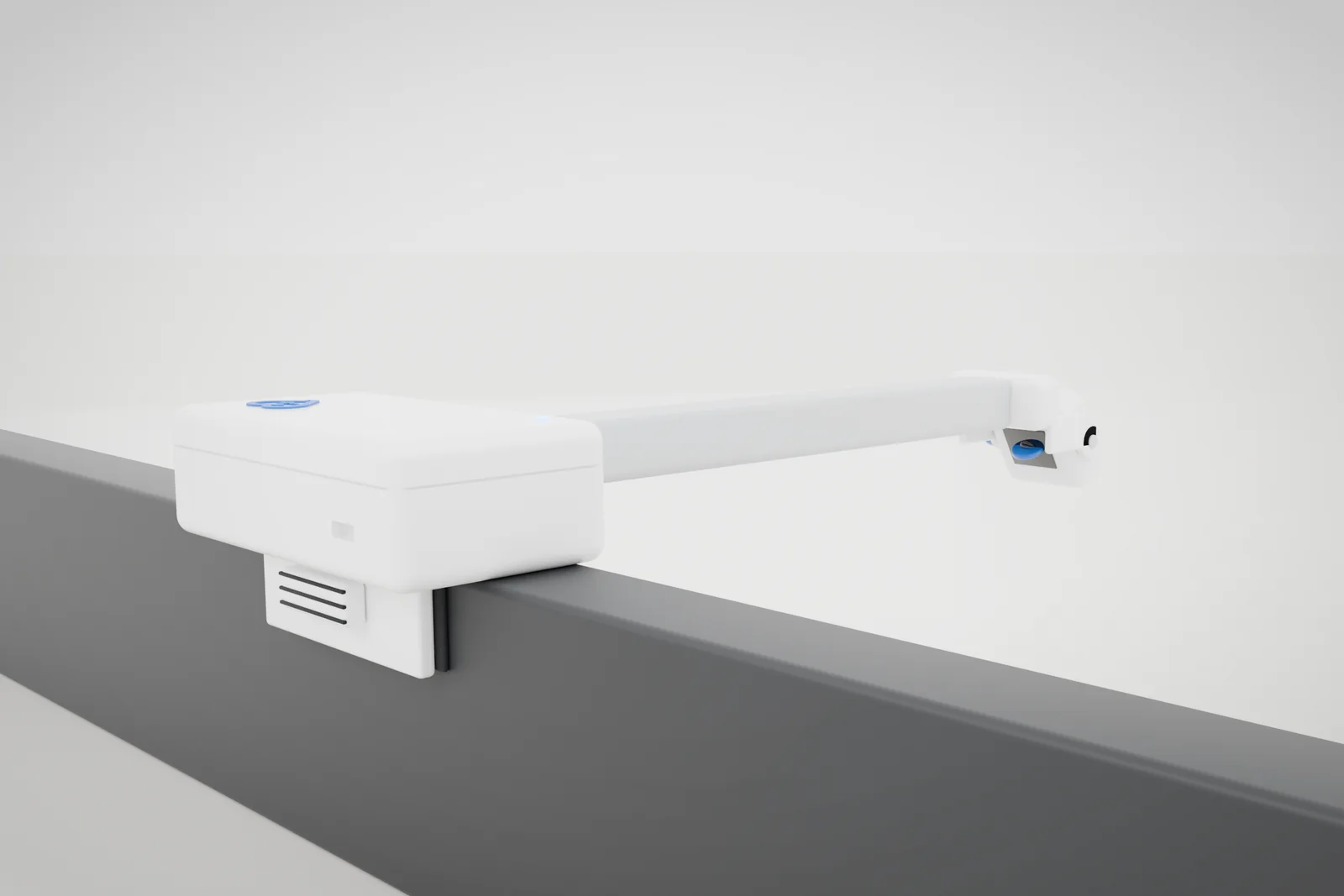
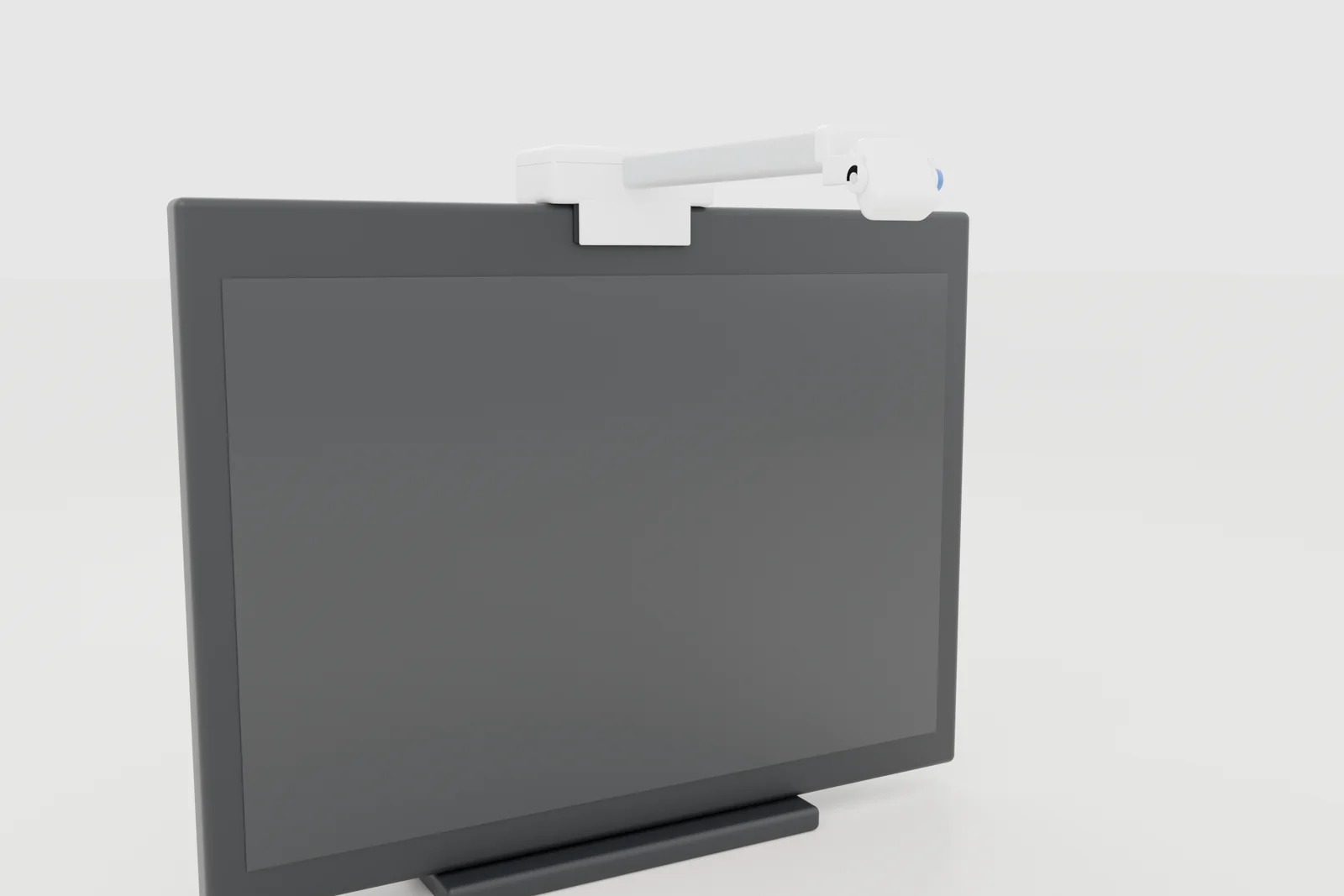
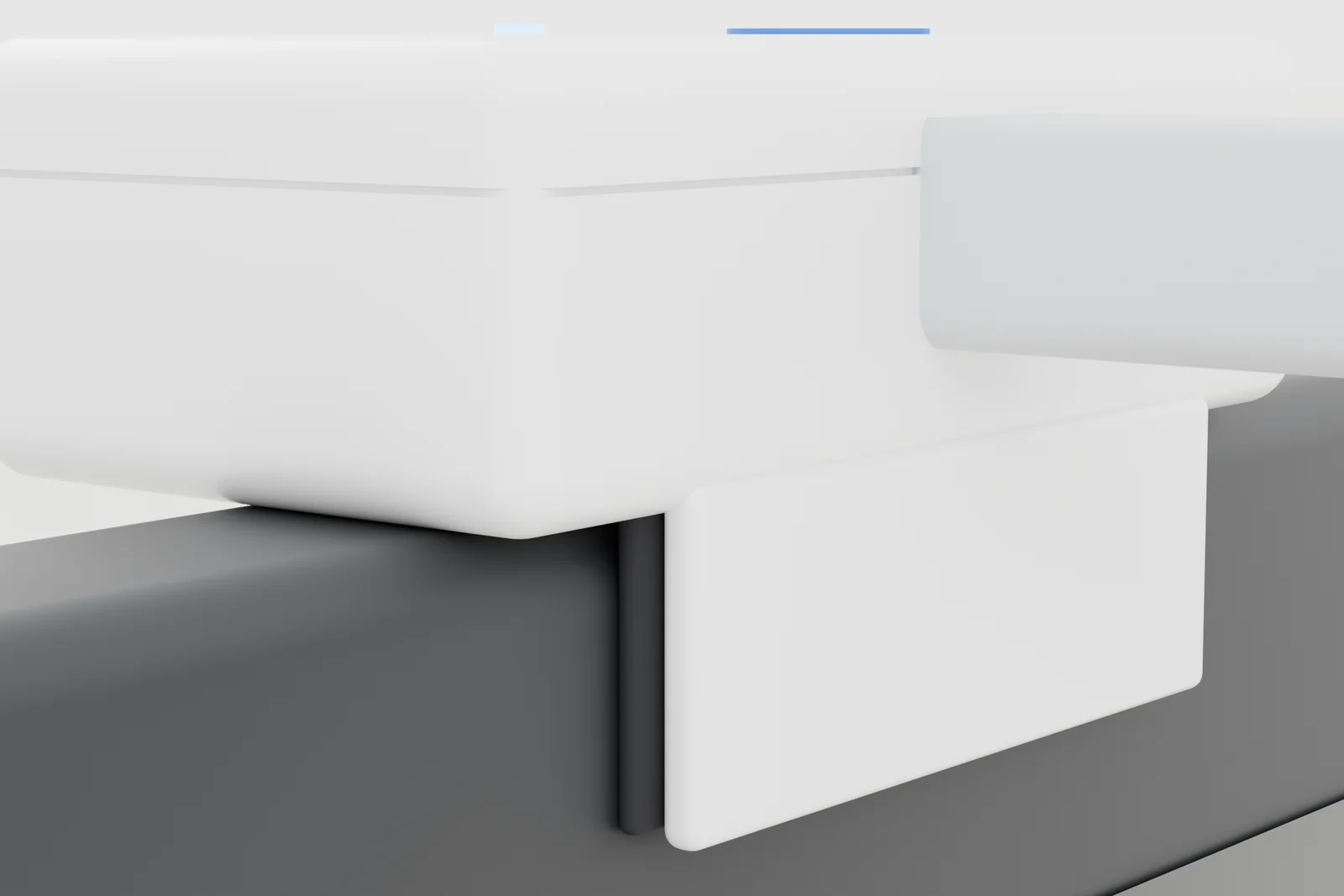
Concept renders. Production unit may differ.
Dashboard and app
The same live view on the ward screen and in your pocket.
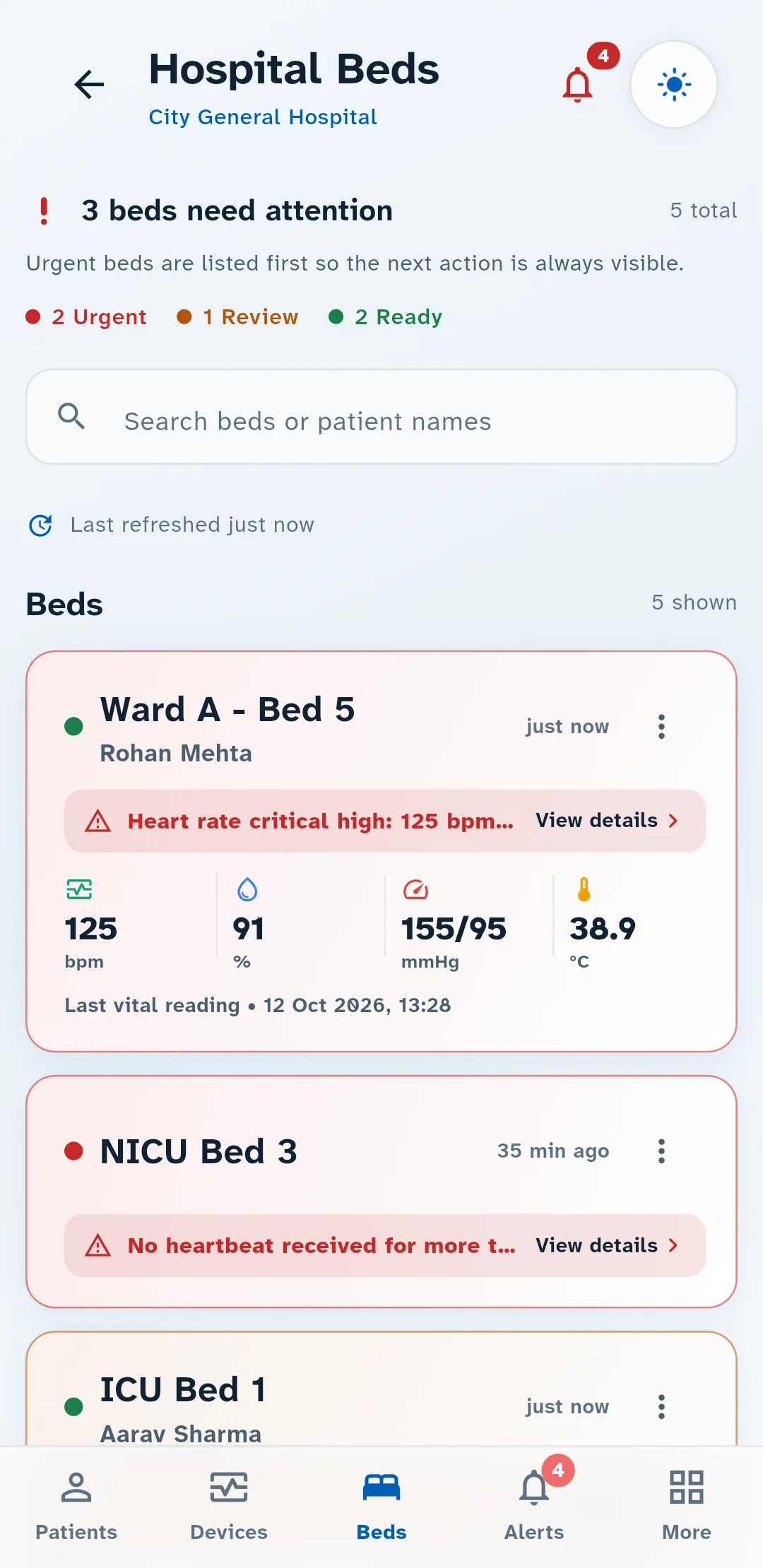
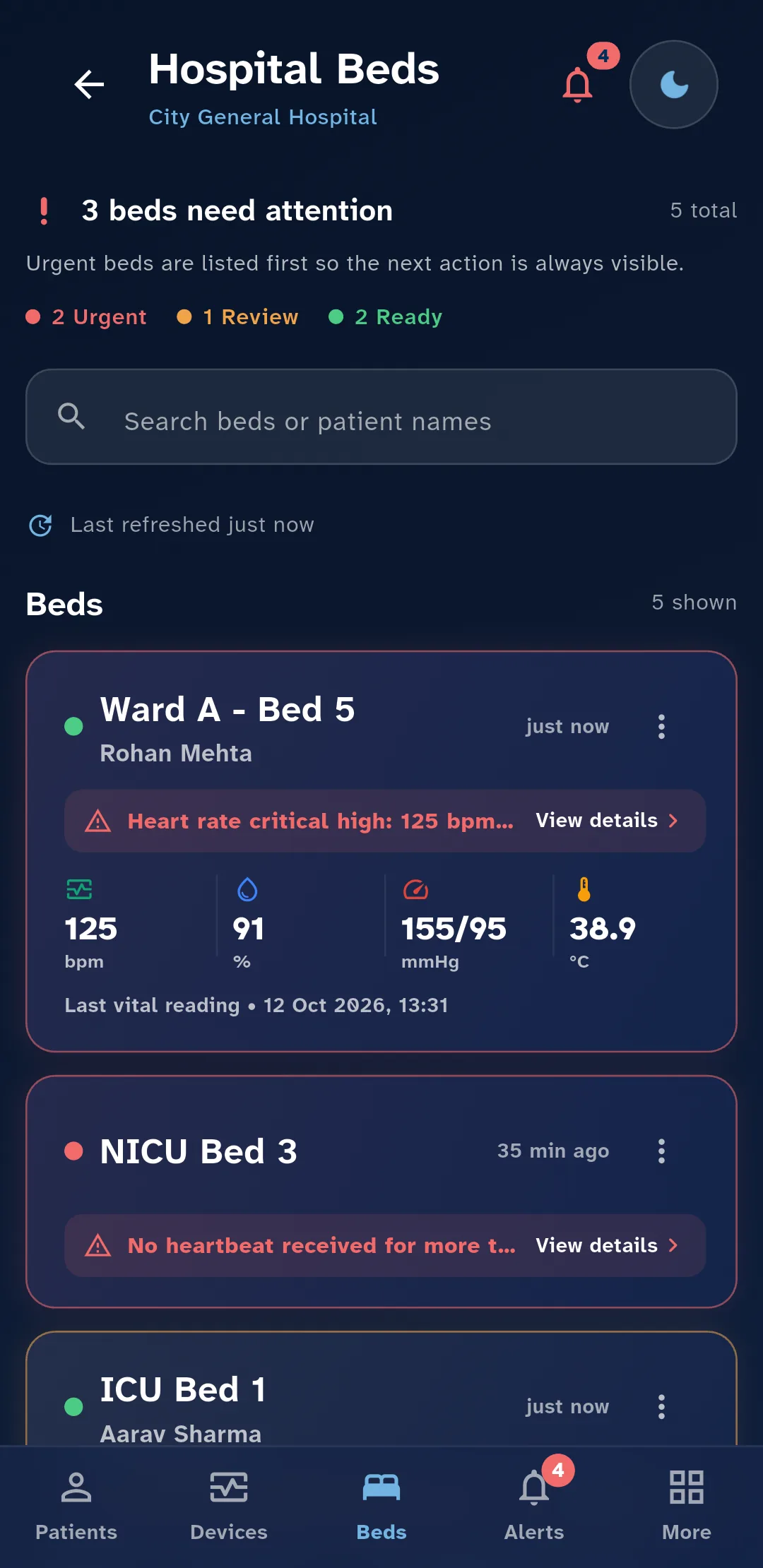
Nurses and doctors sign in to the mobile app; the nursing station opens the ward dashboard in a browser. Both show the same readings as they come in, in a light or dark theme.
Ward overview
The whole ward, most urgent first.
Beds that need attention rise to the top, with a count of how many are urgent, how many need review and how many are fine. Search finds any bed or patient by name.
Patient view
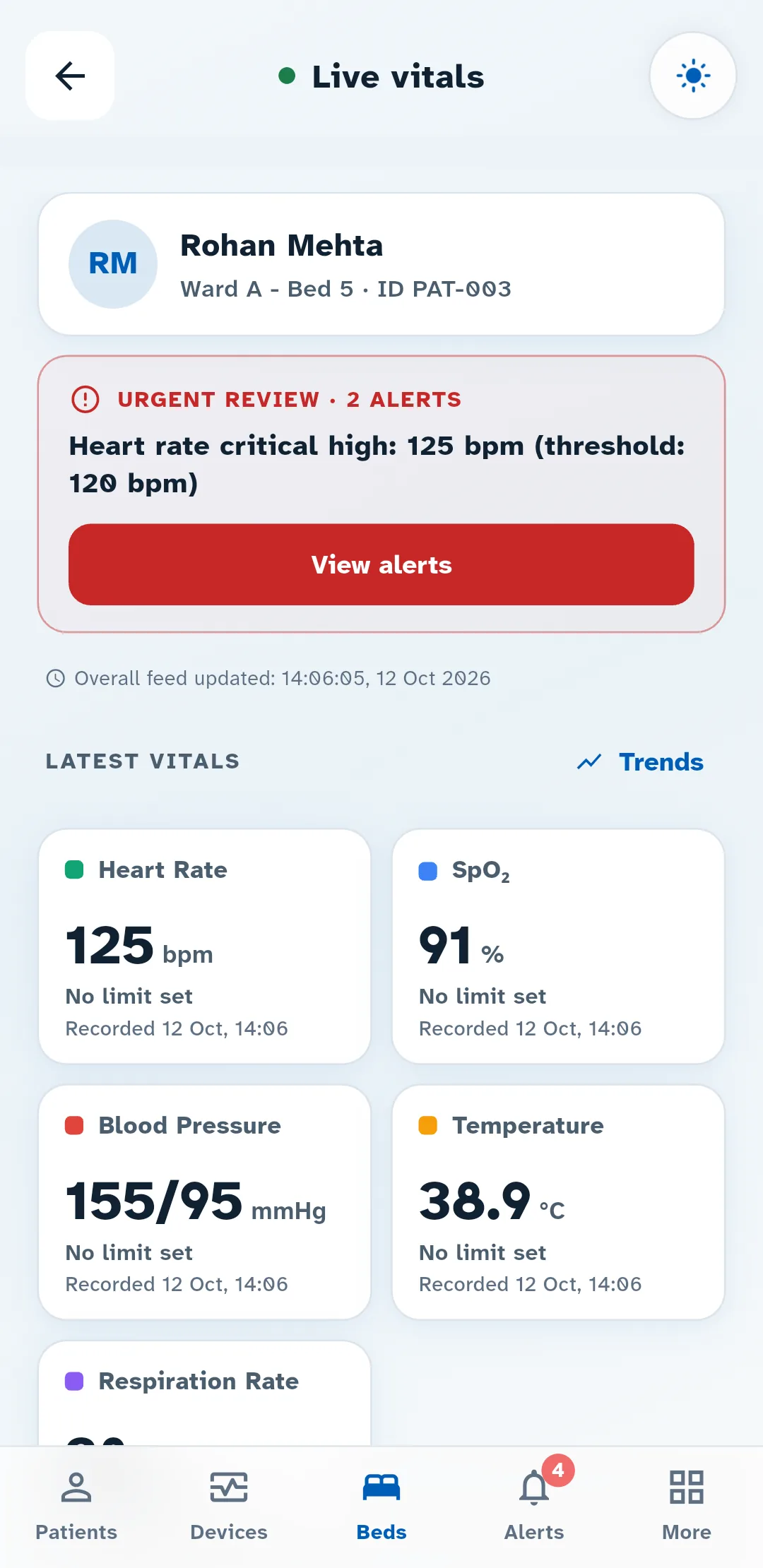
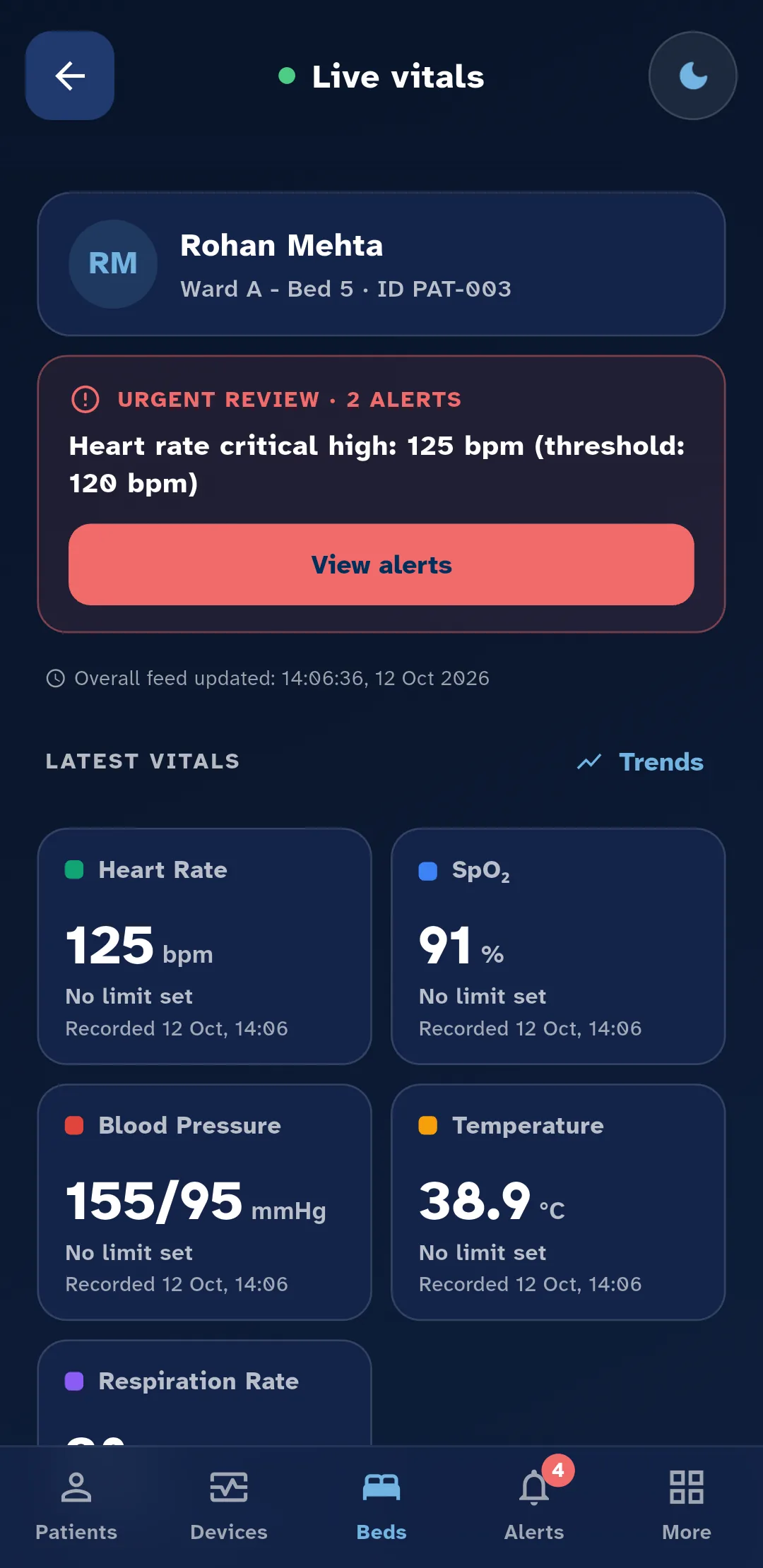
One patient, everything that needs attention.
Open a bed to see who is on it, any alert waiting for review, and the latest heart rate, SpO₂, blood pressure, temperature and respiration, each with the time it was recorded.
Trends
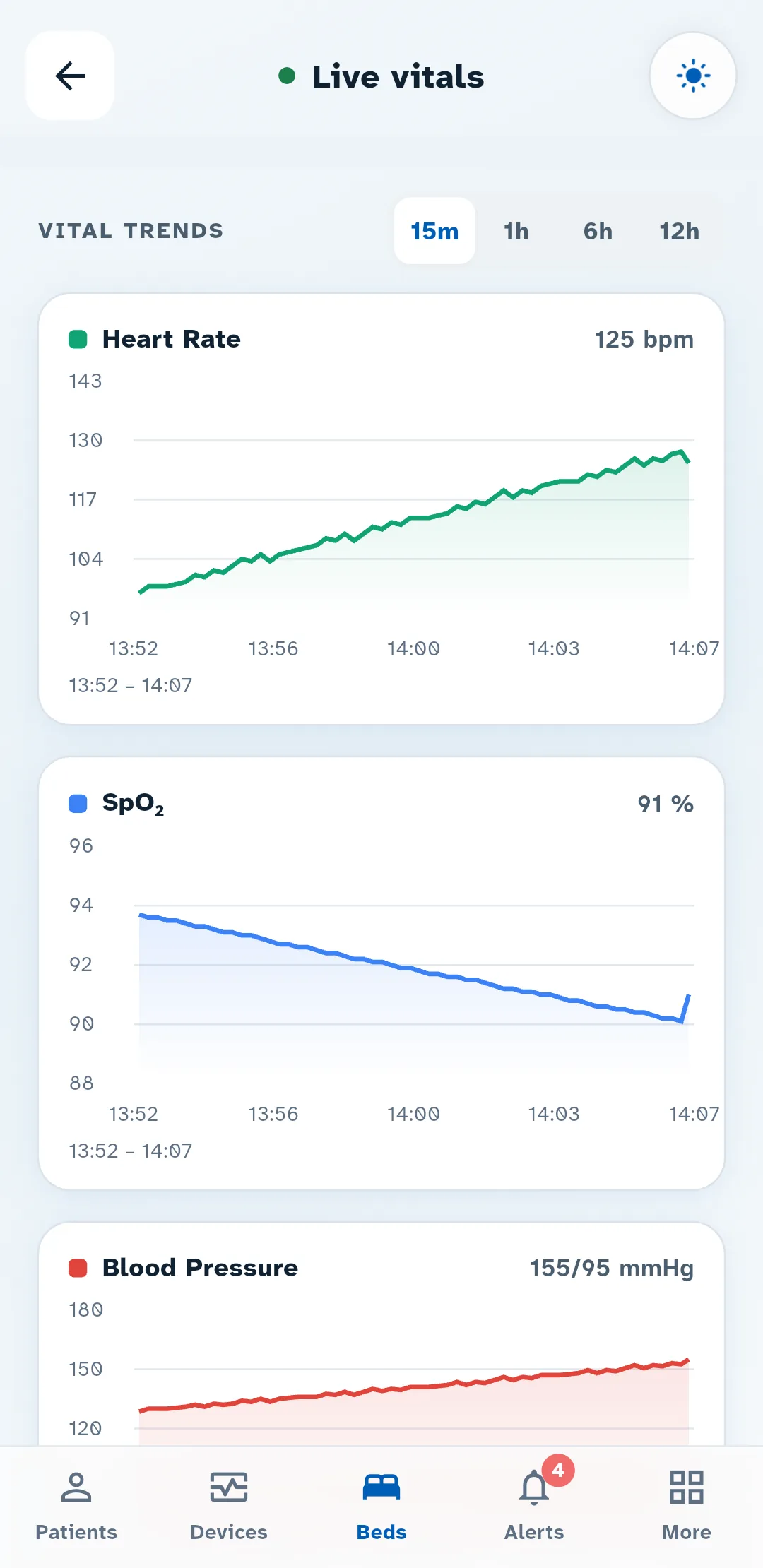
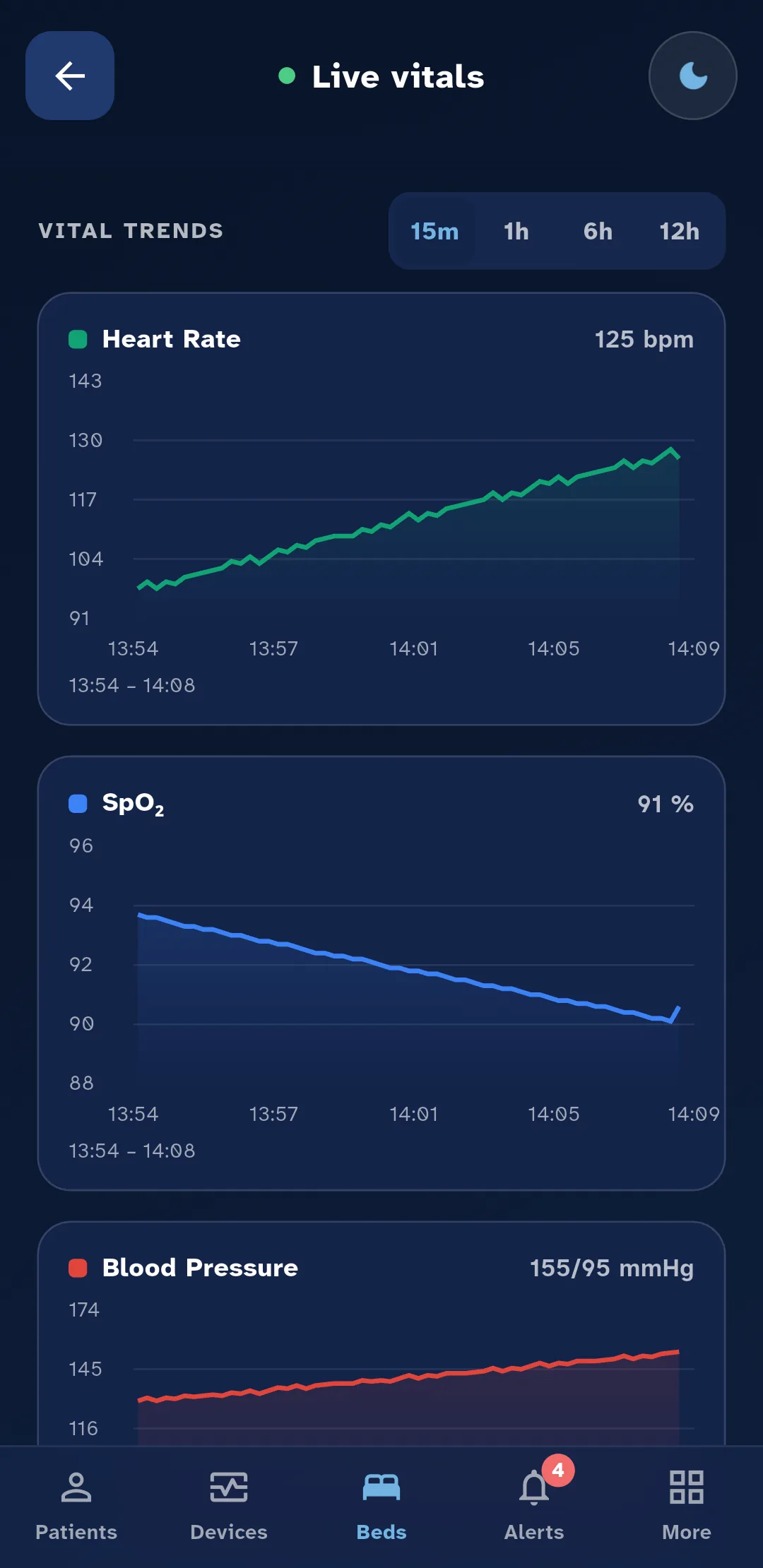
See where a reading has been heading.
Each vital is charted over the last 15 minutes, hour, 6 hours or 12 hours, so a slow climb is as easy to spot as a sudden jump.
Alerts
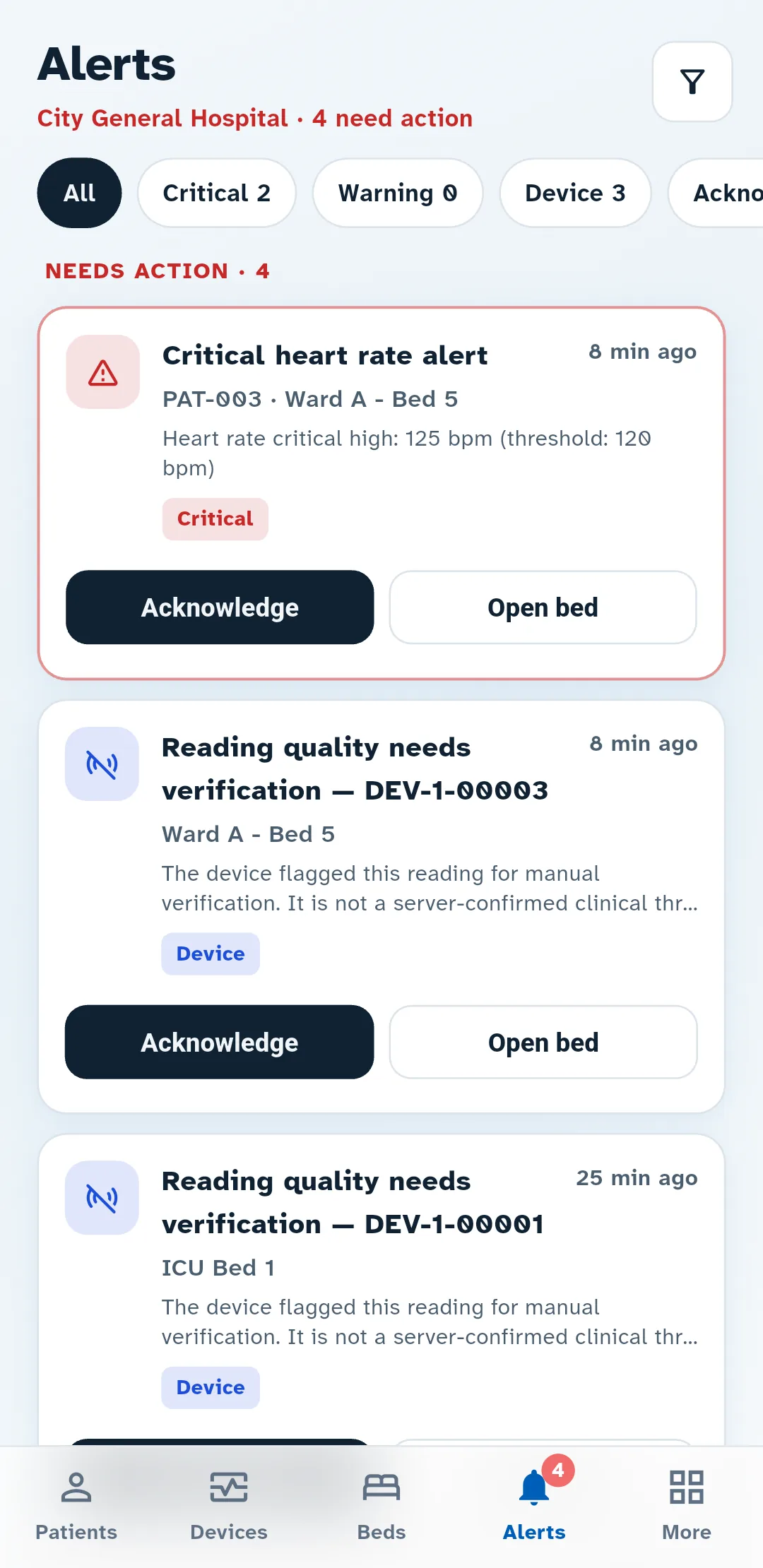
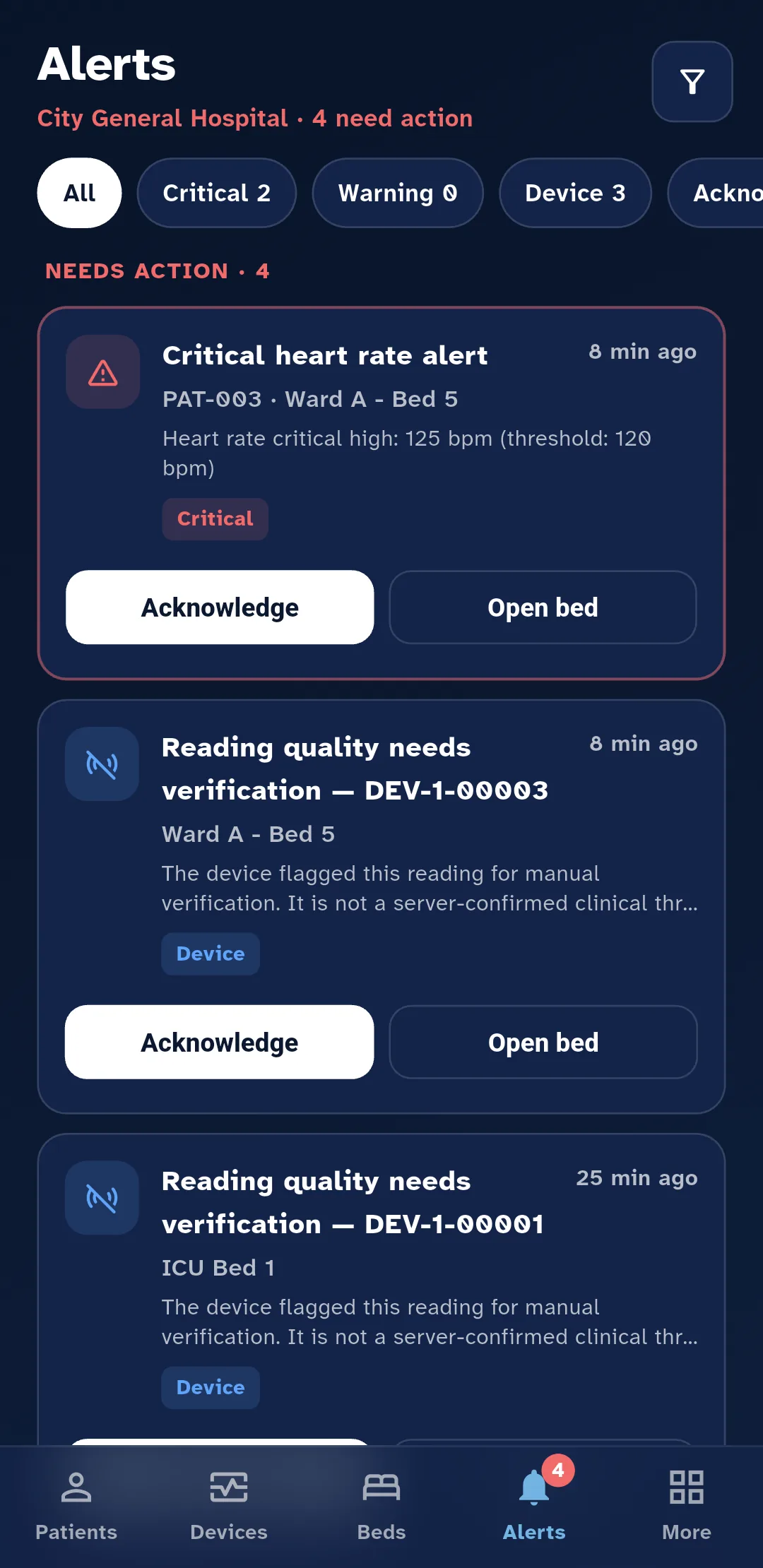
An alert you can act on.
Critical readings come first. Each alert names the patient, the bed and the reading against its limit, and can be acknowledged or opened straight from the list.
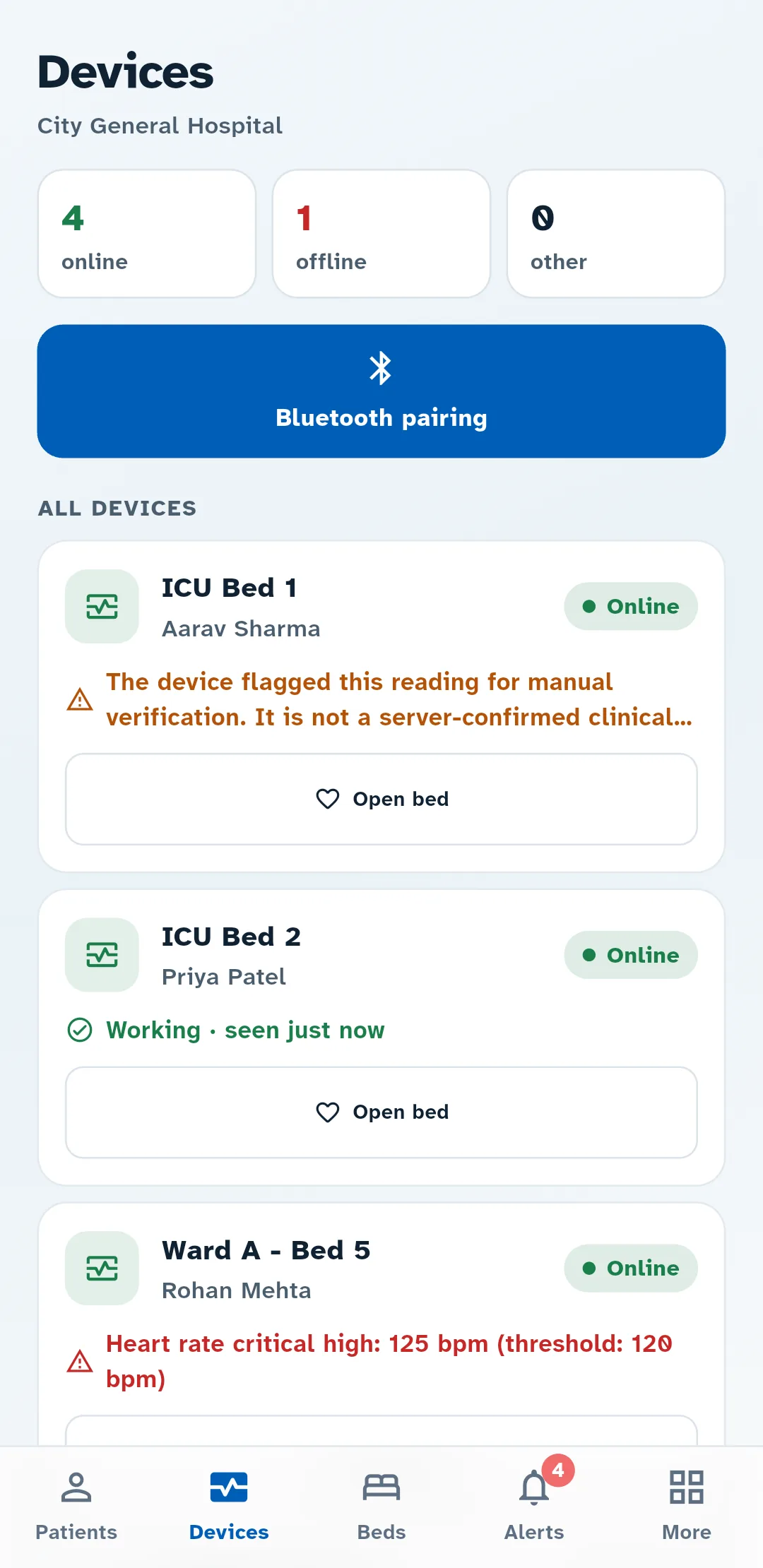
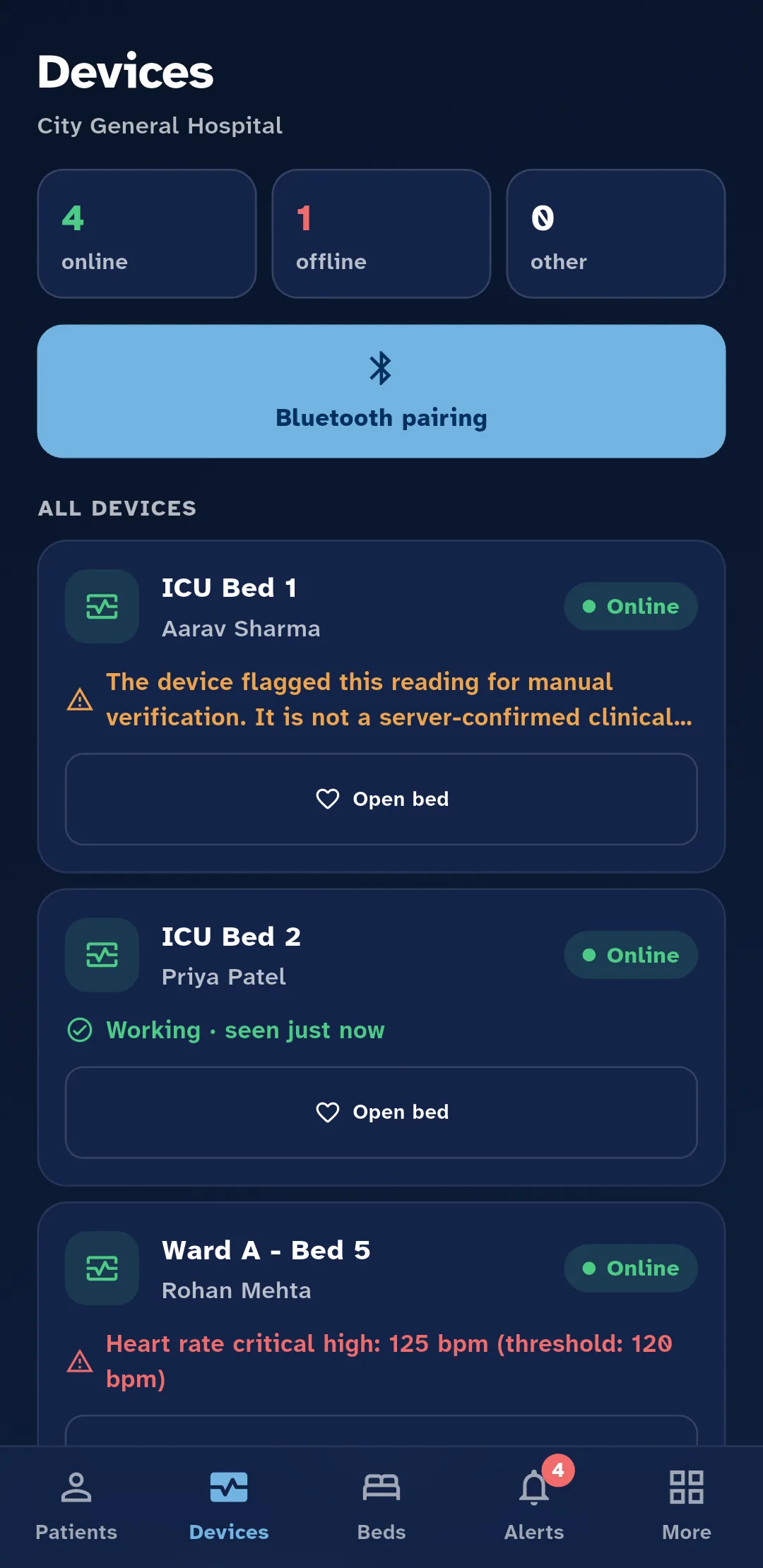
Devices
Know which devices are online.
The devices screen shows which beds are sending readings and which have gone quiet, and new devices are paired from the app.
Offline mode
Readings can wait for the connection to return.
Records
A hash and timestamp for a batch of readings can be recorded on a public ledger; the readings themselves are stored separately.
Before the demo
A hospital evaluation guide.
Public information reviewed 24 October 2026. Use these questions to agree a site-specific evaluation with your clinical, biomedical and IT teams.
- Who is it for, and what stage is it at?
- ArogyaSync is a monitoring aid for nurses and doctors evaluating remote ward views. It supplements bedside monitoring and clinical judgement. Arrange availability and evaluation scope with the team; this site does not publish a dated clinical validation report or regulatory authorization. Request the applicable status and supporting documents before clinical deployment.
- Which monitors and vital signs are supported?
- The camera reads configured areas of a monitor screen. Heart rate, SpO₂, respiration, temperature and blood pressure depend on what that screen displays and what the camera can read. A validated model-by-vital compatibility matrix is not published here. Provide your model, software version and screen layout so each required value can be checked under your ward's lighting and mounting conditions.
- What happens with unreadable or stale readings?
- Camera movement, glare, obscured values and display changes can prevent a usable reading. Review the recorded time and device status, and confirm unexpected or missing values at the bedside. Remote views and phone notifications depend on power, connectivity, permissions and service availability; they must not be the sole route for a clinical alarm or response.
- What power, network and offline capacity do we need?
- The device needs power and a configured network connection for remote delivery. Local buffering and retries are available, but this site does not specify a guaranteed offline duration, storage capacity or recovery time. Agree the power supply, network requirements and outage/restart tests for your installation. During an outage, remote readings and alerts may be delayed or unavailable.
- How should we evaluate it on a ward?
- Before a few-bed evaluation, agree the monitor/vital combinations, comparison method, sample size, error definitions, unreadable-value handling, data completeness and alert-delay criteria. Test camera movement, network loss and recovery with clinical oversight. Ask for a dated report identifying the equipment, conditions, limitations and clinical reviewer. App screenshots and concept renders show the interface and design; they are not clinical outcome evidence.
- Who installs and supports it, and how is it priced?
- Agree responsibilities for installation, staff training, maintenance, incident response and support hours before a trial. Pricing, hardware supply or rental terms, service scope and trial acceptance need a written proposal; no standard public price or support commitment is offered on this page.
- Can it connect to our hospital systems or export data?
- The product includes its own web ward dashboard and mobile app. This page does not promise an electronic health record integration, interoperability standard or general export format. Bring your required systems, fields, access controls and export workflow to the demo for a feasibility and security review.
See live vitals from one of your own monitors.
Book a demo and we'll walk your team through the ward dashboard, the app and the alerts.